
Monitor your Bambu Lab printer from Linux
See print progress, time left, temperatures, AMS filament and the live camera from your GNOME top bar, Plasma panel or Omarchy bar. Add desktop widgets and print alerts while you work.
One-time $9.99 · 2 devices on Mac / Windows / Linux · No subscription
Experimental · Tested on Ubuntu 26.04 (GNOME 50), Kubuntu 26.04 (Plasma 6.6) and Omarchy 4.5, on 64-bit Intel and AMD PCs
On your phone? Buying now emails your download and license key right away — or send this link to your Linux PC.

“Just installed this, and I love it …”
u/spotbellini 
“Works like a champ on P1S …”
u/AppropriateAmount491 
“Amazing work. Setup was amazingly simple …”
u/gthrift
Works with every Bambu Lab printer
 P2S
- P1S
 P1P
- X1 Carbon
- X1
- X1E
- X2D
 A1
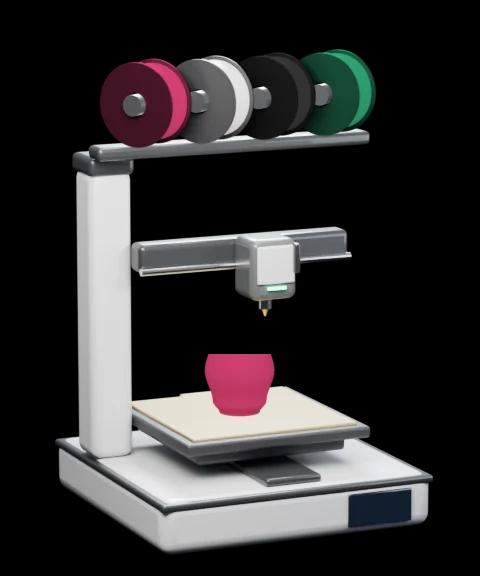 A1 mini
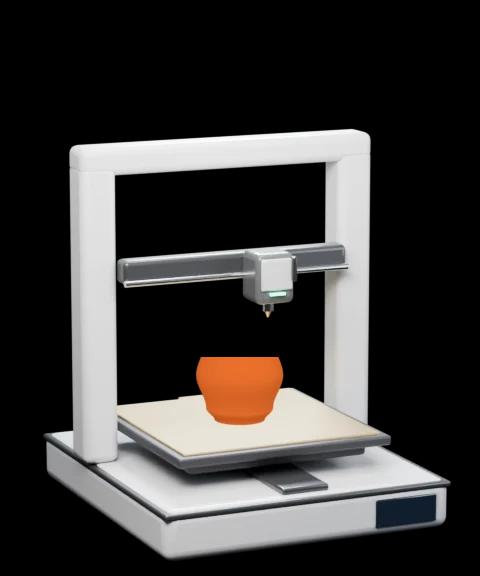 A2L
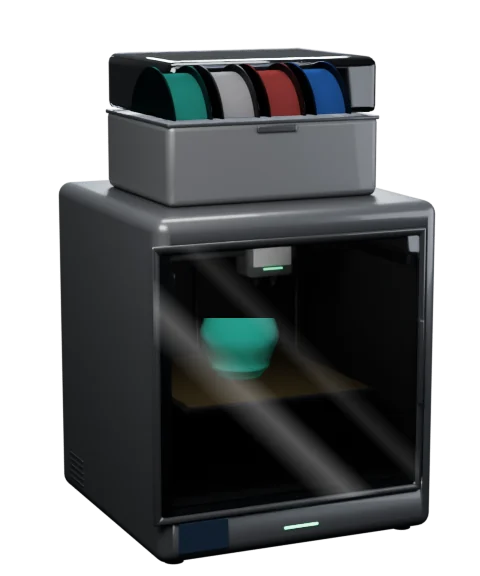 H2D
- H2D Pro
- H2C
- H2S
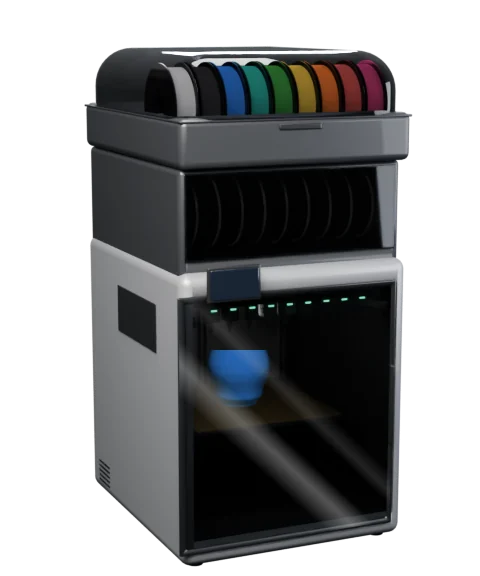 H3C
New on Linux. Built for your desktop
Bambu Bar for Linux is experimental: the same printer engine as on the Mac and Windows, with a native face on each desktop it supports. Every release brings it further, and your feedback shapes what comes next.
GNOME
Ubuntu 26.04 · GNOME 50
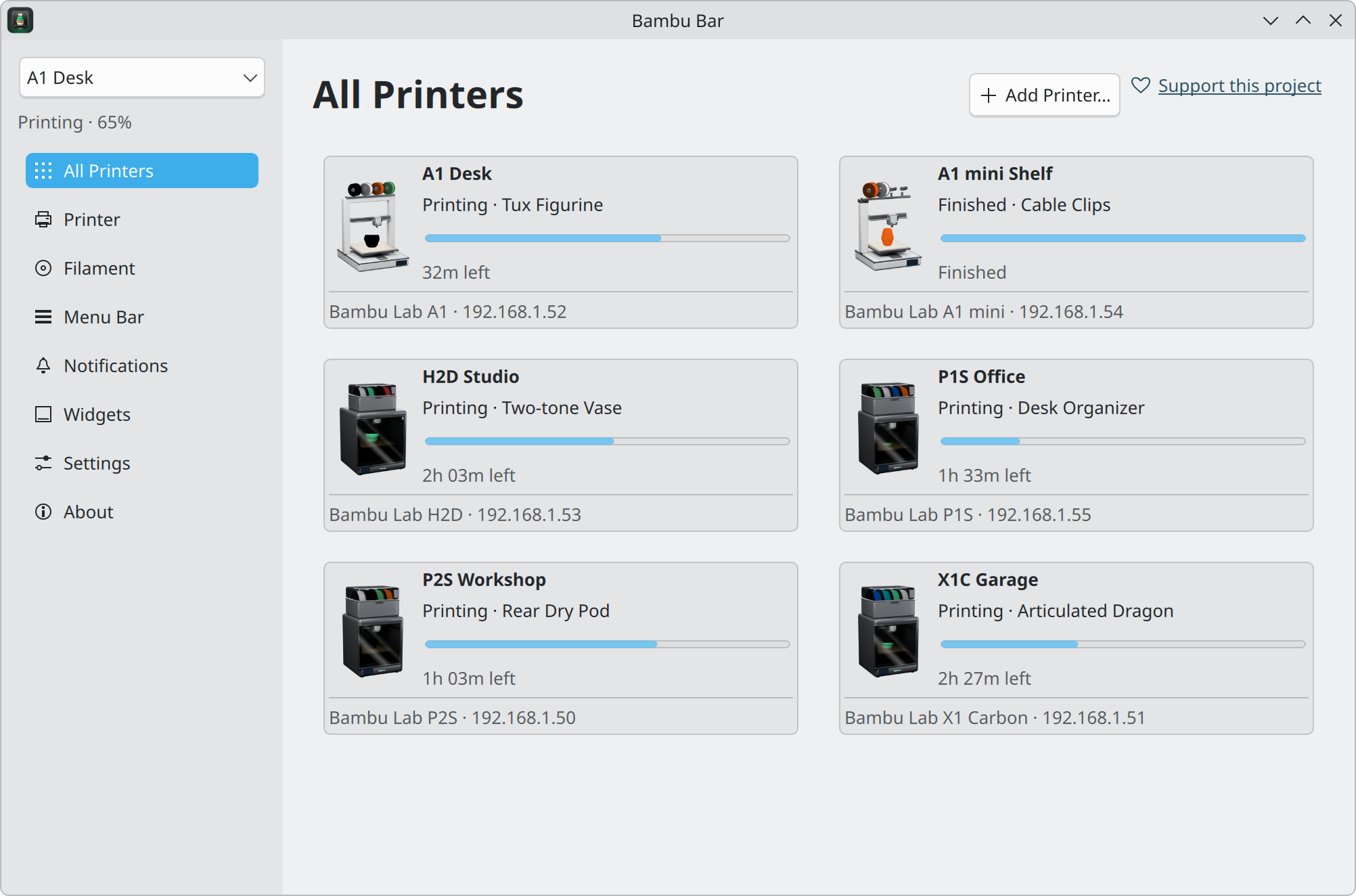
A GNOME Shell extension puts your printer in the top bar, with a popup and desktop cards. The window is a GTK and libadwaita app.
KDE Plasma
Kubuntu 26.04 · Plasma 6.6
A Plasma widget for the panel and the desktop, and a Kirigami window that follows your Breeze colours.
Omarchy
Omarchy 4.5 · Hyprland
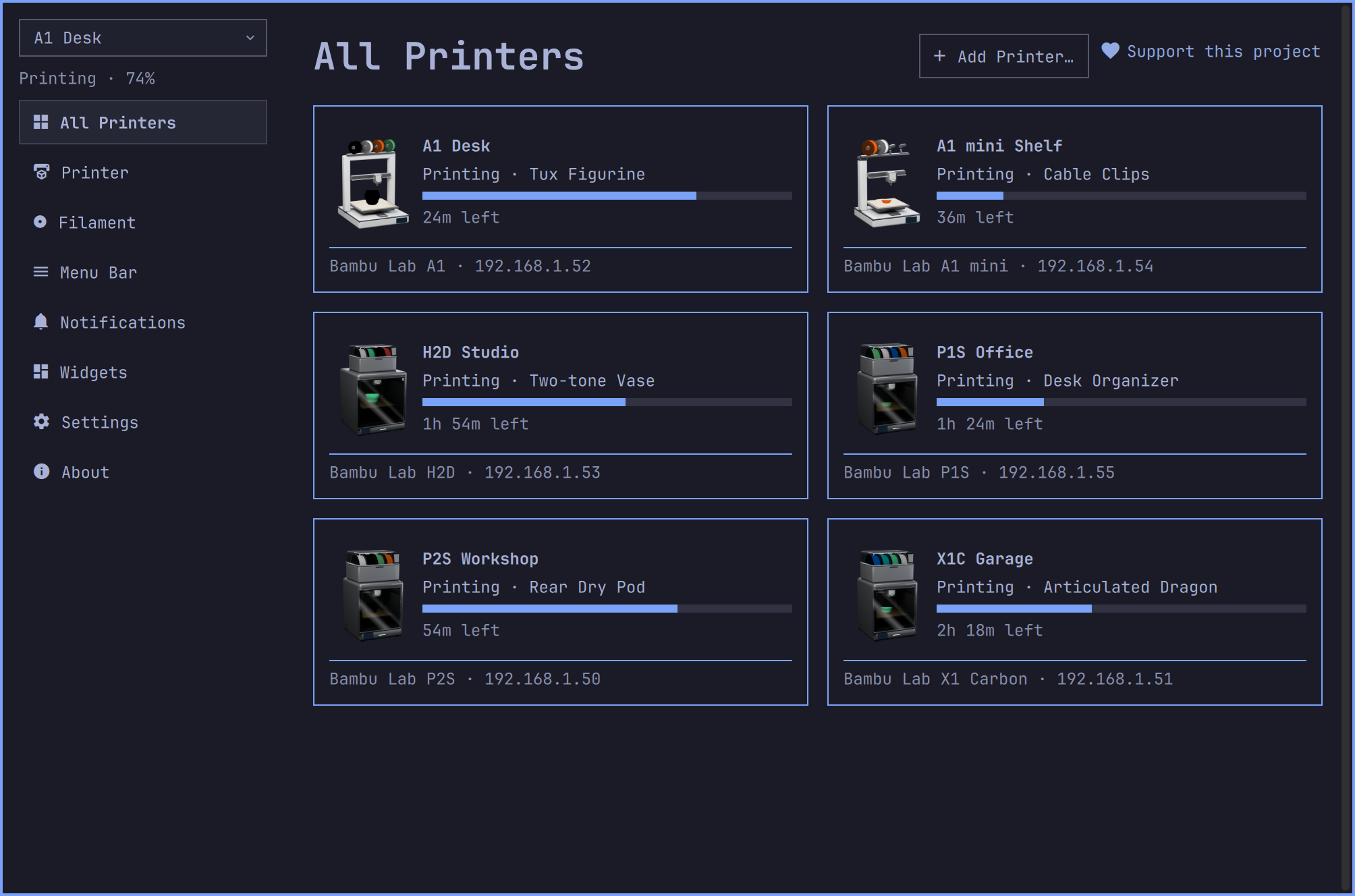
A plugin for Omarchy's bar with its own popup and corner cards, styled by your Omarchy theme as you switch it.
Using another desktop or distribution? Write to support@clevermechanisms.dev and tell us how it runs.
Everything in one click
Click your printer in the top bar, panel or bar: the job, its stage, temperatures, your AMS spools and the controls, right where you work.
- Progress in the bar
- The printer icon fills as the print grows, with the percentage and time left beside it.
- A popup made for your desktop
- A GNOME Shell popup, a Plasma widget or an Omarchy bar popup, each drawn with your desktop's own look.
- Controls at hand
- Pause, resume or stop a print, change its speed and switch the chamber light, from the popup or the window.
- Every printer
- Switch printers from the popup, or let Bambu Bar show the one that's printing.
The whole print, in its own window
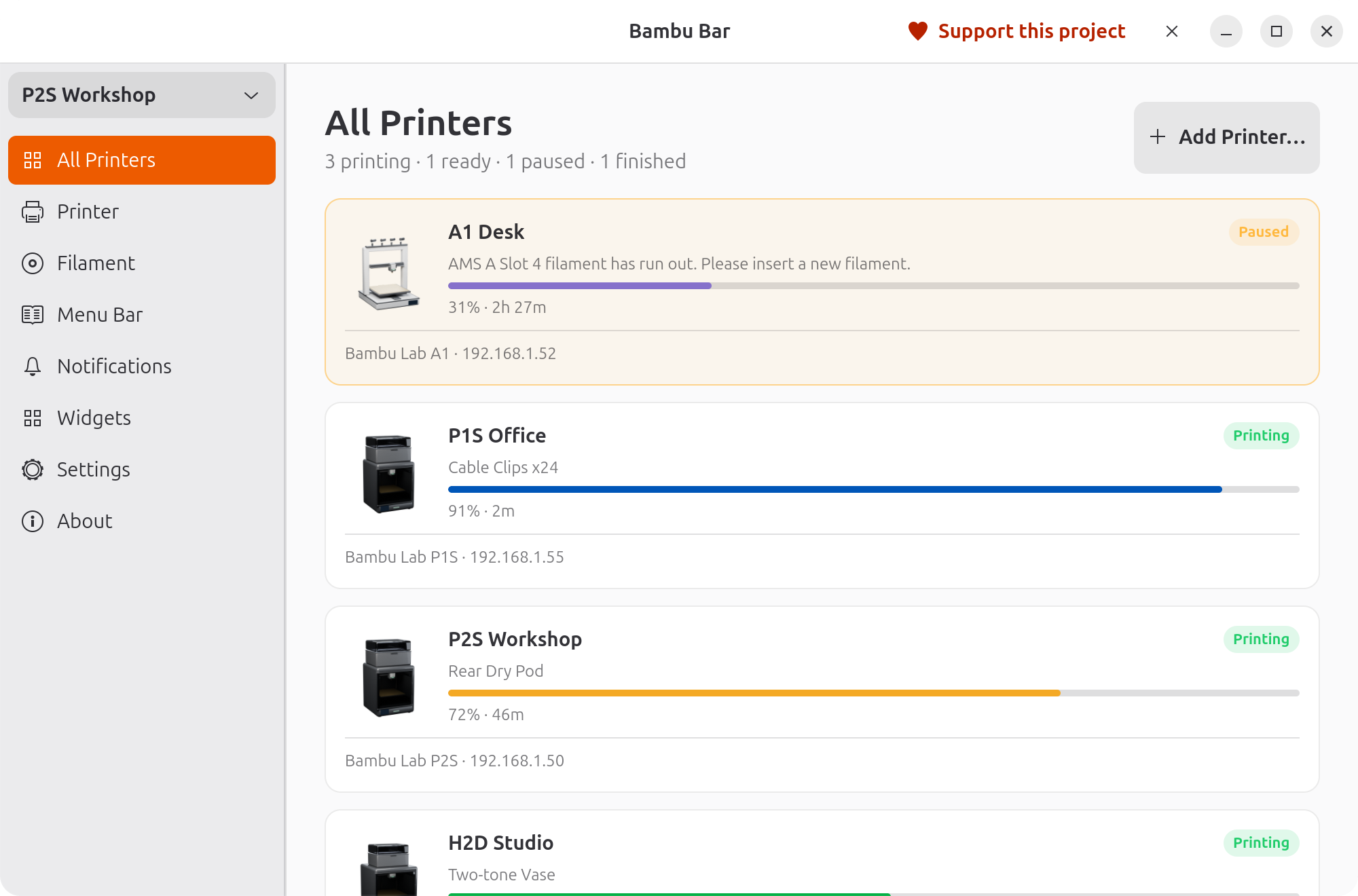
The Printer page with your printer in live 3D, every spool on the Filament page, and All Printers with the ones that need you first.
Watch the print. Without getting up
Your printer's live camera on your Linux desktop: a preview to fold away, the full picture on the Printer page, and a window of its own.
 LiveLiveLive
- Wherever you look
- A preview you can fold away, a large view on the Printer page, and a resizable camera window.
- Streams only while you watch
- A folded preview or a closed window uses no connection. Or keep it connected during prints, so it shows at once.
- Straight from the printer
- X1, H2, H3C, P2S and X2D stream over encrypted RTSPS once LAN Only Liveview is on; P1 and A1 send their own JPEG stream. Nothing is recorded.
- Off until you want it
- Turn it on in Settings, then for each printer. Until both are on, it's hidden everywhere.
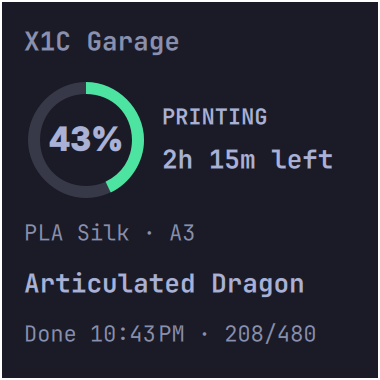
Your print, right on the desktop
Your printers on the desktop, in three sizes: progress, time left, temperatures and the filament in your AMS, updated live.
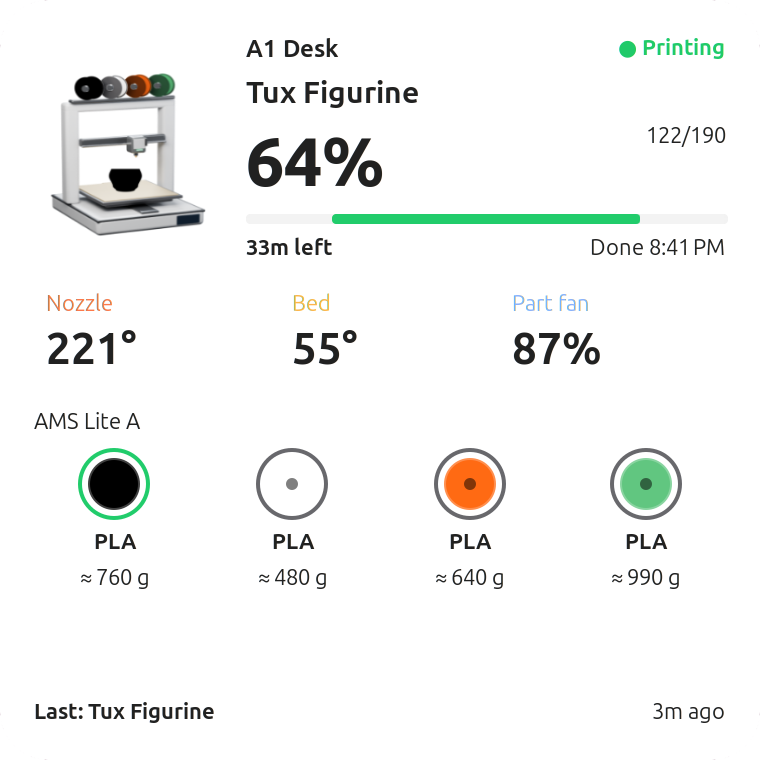
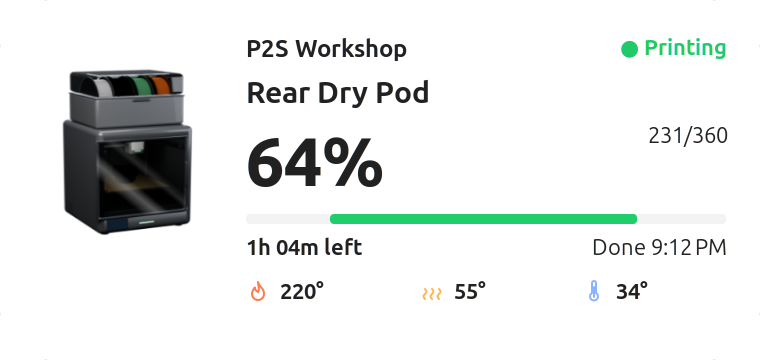
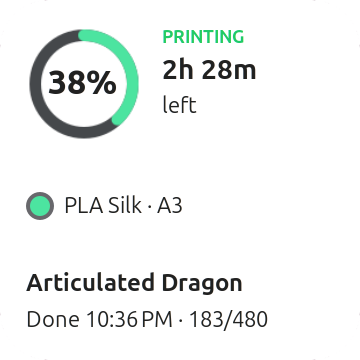
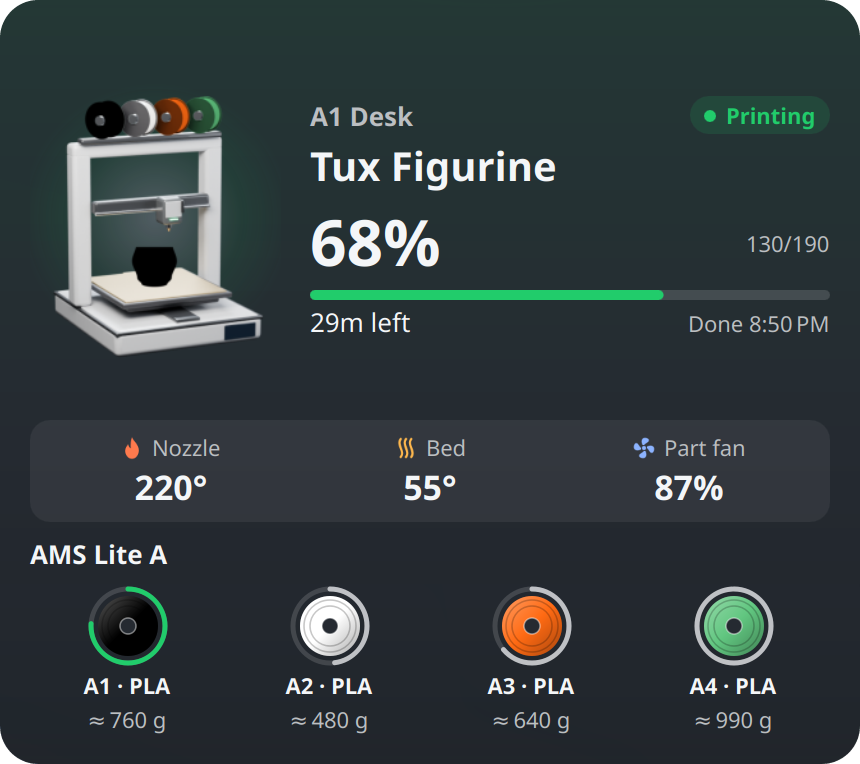
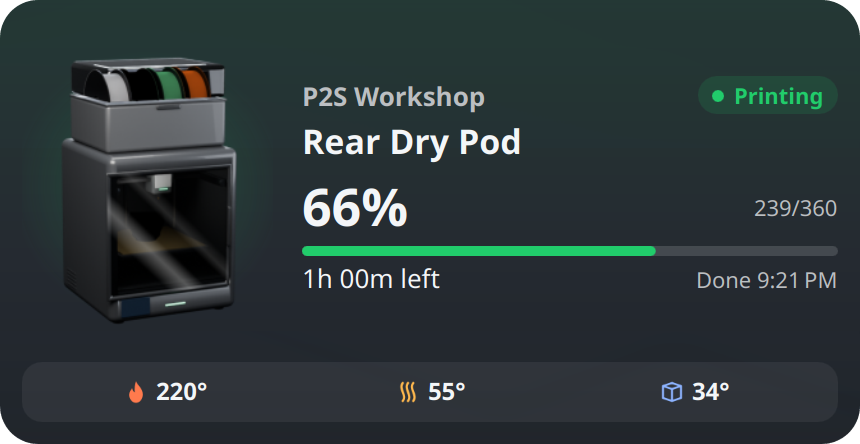
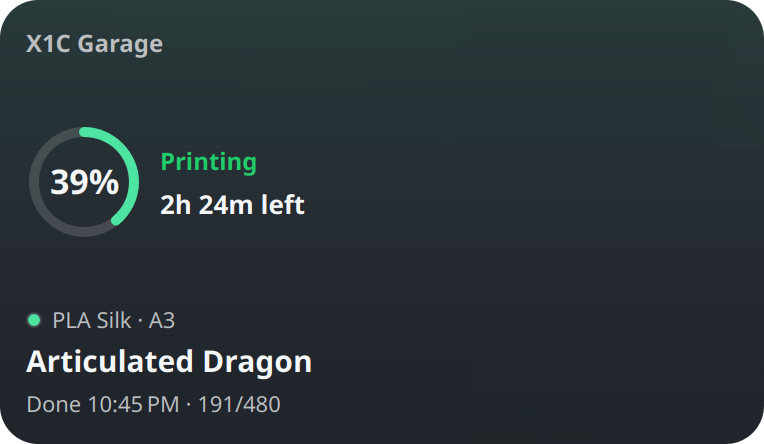
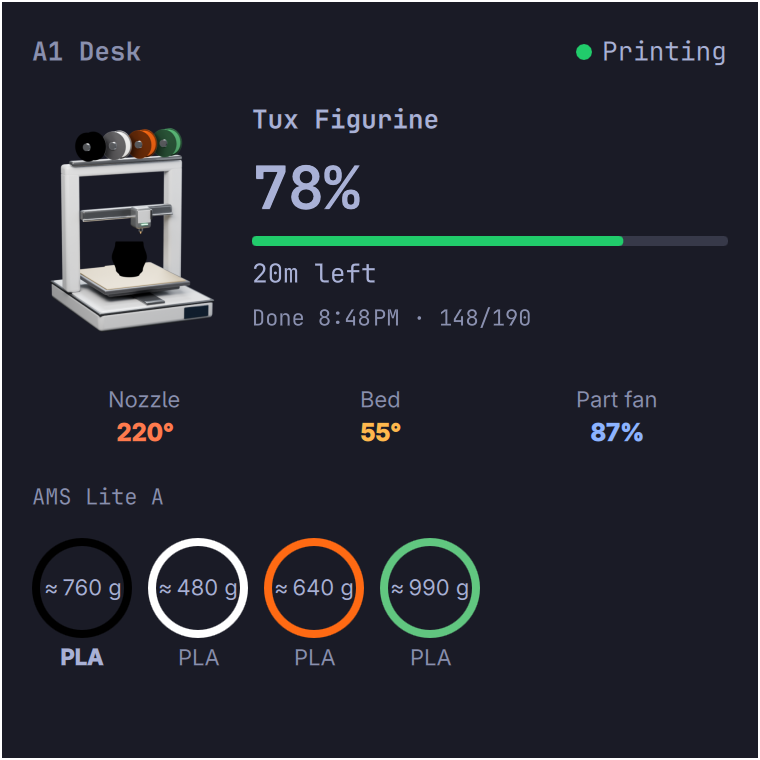
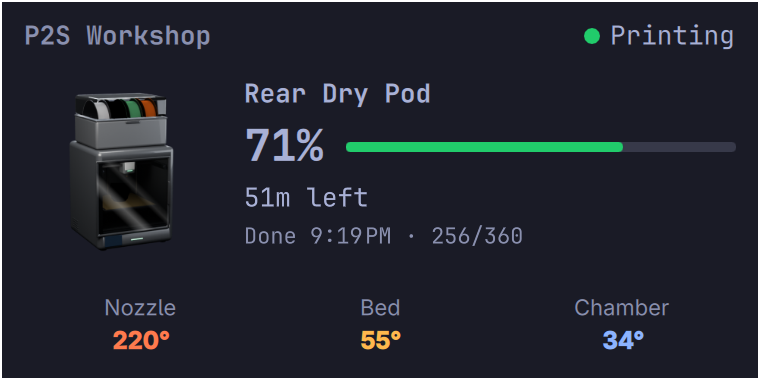
From package to panel. In a minute
One package for your desktop, installed the way your desktop installs apps. Bambu Bar finds your printers and their access codes on its own.
Grams, not guesses
Bambu Lab spools tell the AMS their net weight, so Bambu Bar shows what's left in grams. Enough for tonight's print? Now you know.
- Grams left on every Bambu Lab spool
- ≈ 810 g, not just a percentage, plus how much you have on hand in total.
- Colours by name
- Grass Green, Charcoal, Jade White: Bambu Lab spools show their real colour name; other brands show the preset you chose, like SUNLU PLA Matte.
- Humidity and temperature
- Each AMS unit's humidity and temperature, and the spool that's feeding right now.
- Jade WhitePLA Basic≈ 810 g
- CharcoalPLA Matte≈ 390 g
- SUNLU PLA MatteGrass Green—
- GoldPrintingPLA Silk+≈ 220 g
All your printers. One glance
Bambu Bar watches all of them at once. All Printers puts the ones that need you first, then sorts the rest by soonest finish.
- Trouble floats to the top
- Failed and paused printers come first, with the reason in plain words, then everything else by time left.
- Add All, in one click
- When Bambu Studio or OrcaSlicer already knows your printers, Bambu Bar finds them on the network and sets them all up at once.
- Switch anywhere
- From the popup, the window's sidebar or a widget: each widget can follow a different printer.
Bambu Studio, Bambu Handy and Bambu Bar
Each does a different job. Bambu Bar works alongside Bambu Lab's own apps, not instead of them.
Slice and send
Bambu Studio
Bambu Lab's desktop slicer: prepare models, send jobs and follow the printer in a full window.
On your phone
Bambu Handy
Bambu Lab's mobile app for checking and controlling prints, including away from home through Bambu Lab's cloud.
At a glance on Linux
Bambu Bar
Progress, temperatures, AMS filament and the camera in your top bar, panel or bar and on your desktop, straight from the printer on your network.
Speaks your language
Bambu Bar is at home in 18 languages, from Deutsch and Español to 日本語 and 简体中文.
- Follows your desktop
- It speaks your desktop's language, or the one you pick in Settings. The popup and widgets follow along.
- Bambu Lab's own words
- Nozzle, heatbed, LAN Only, print stages and speeds read just as they do in Bambu Studio.
- Errors you can read
- Printer errors use Bambu Lab's official translations wherever Bambu publishes one.
- Čeština
- Deutsch
- English
- Español
- Français
- Italiano
- Magyar
- Nederlands
- Polski
- Português (Brasil)
- Svenska
- Türkçe
- Русский
- Українська
- 日本語
- 한국어
- 简体中文
- 繁體中文
Native, quiet, and thoughtful
A native app for each desktop that waits quietly until your printer needs you, and tells you everything when it does.
Notifications that matter
Finished, failed, canceled, paused for filament and new printer errors, as desktop notifications. Send a test one from the Notifications page.
Set up in seconds
Finds printers on your network and uses the access codes Bambu Studio or OrcaSlicer already saved. Add All sets up every one at once.
Knows each model
Shows exactly what your printer has: both nozzles on an H2D, the heated chamber on an X1E, the AMS Lite on an A1.
Your theme, live
Follows your desktop's light or dark mode. On Omarchy it takes on your theme's colours, even as you switch themes.
Opens at login
Turn on Open at login and Bambu Bar starts quietly with your desktop, ready in the top bar, panel or bar.
A live 3D printer
The Printer page shows your printer family in 3D, the chamber light and the part growing on the plate.

Your printer. Your network. Nobody else
Bambu Bar talks straight to your printer over your own network, encrypted, the same way Bambu Studio does. Your access code stays between your PC and your printer, and nothing passes through anyone else's servers.
No Bambu Lab sign-in is needed. Website purchases use a purchase account and license activation.
Bambu Bar talks to the printer directly on your network, like Bambu Studio in LAN mode.
The app has no analytics, tracking, telemetry or ads. Supporter licenses are checked online.
Access codes live in your desktop's keyring through the Secret Service and are only ever sent to their printer.
connect mqtts://192.168.1.50:8883
user    bblp
code    •••••••• (from your keyring)
verify  Bambu Lab CA ✓ · issued to 22E… ✓
camera  rtsps://192.168.1.50:322/streaming/live/1
find    udp/2021 announcements
Supporter license
One license. Mac, Windows or Linux
One-time $9.99 license: one key activates 2 devices: Mac, Windows or Linux. No subscription.
- Already a supporter? Open About in Bambu Bar for Linux, paste the key from your purchase account and choose Activate.
- The key is kept in your desktop's keyring (GNOME Keyring or KWallet) and checked online. Printer monitoring always works.
- New version? Download it from your purchase account and install it over the one you have: your printers and settings stay.
What you need
- Ubuntu 26.04 with GNOME 50, Kubuntu 26.04 or Ubuntu with KDE Plasma 6.6, or Omarchy 4.5.
- A 64-bit Intel or AMD PC. Each package brings everything it needs.
- A Bambu Lab printer on the same local network: all 15 models work. No Bambu Lab account or cloud needed.
Your printer, your network, nobody else
Bambu Bar for Linux talks straight to your printer over your own network, encrypted, as Bambu Studio does in LAN mode. Access codes stay in your desktop's keyring and are only ever sent to their printer. No app analytics, no ads.
Every Bambu Lab printer. Now with the H3C
P, X, A and H series, including the new H3C. Bambu Bar knows what each model can report, so you see exactly what your printer has.
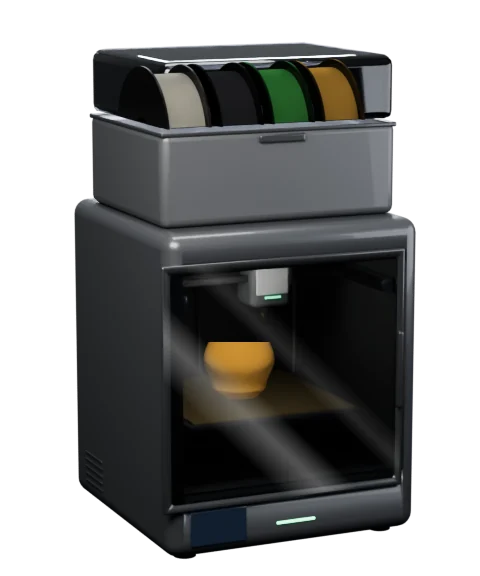
P2S
- Enclosed
- Chamber temp
- Light
- AMS
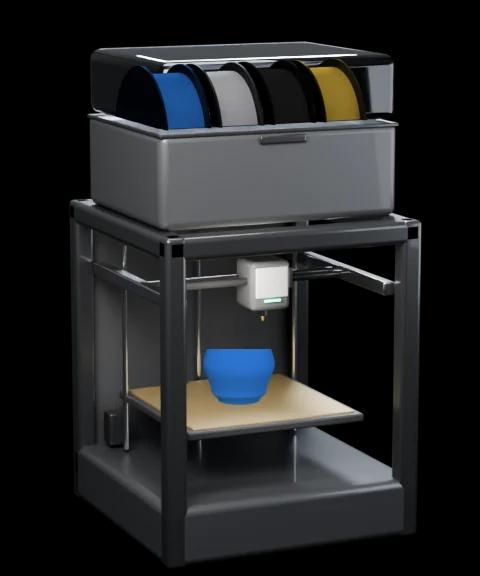
P1S
- Enclosed
- Light
- AMS
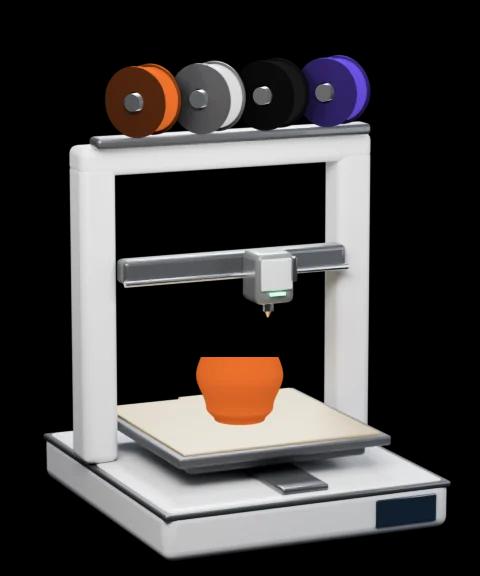
P1P
- Open frame
- Light
- AMS
X1 Carbon
- Enclosed
- Chamber temp
- Light
- AMS
X1
- Enclosed
- Chamber temp
- Light
- AMS
X1E
- Enclosed
- Heated chamber
- Light
- AMS
X2D
- Enclosed
- Heated chamber
- Dual nozzle
- Light
- AMS
A1
- Open frame
- AMS Lite
A1 mini
- Open frame
- AMS Lite
A2L
- Open frame
- AMS
H2D
- Enclosed
- Heated chamber
- Dual nozzle
- Light
- AMS
H2D Pro
- Enclosed
- Heated chamber
- Dual nozzle
- Light
- AMS
H2C
- Enclosed
- Heated chamber
- Dual nozzle
- Light
- AMS
H2S
- Enclosed
- Heated chamber
- Light
- AMS
H3C
- Enclosed
- Heated chamber
- 9-tool rack
- Light
- AMS
800+ upvotes · 200+ comments
Loved on r/BambuLab
What makers said when Bambu Bar launched on Reddit.
- u/gthriftr/BambuLab
Amazing work. Setup was amazingly simple (really almost non-existent). The app detected my printer on the network immediately and pulled the access code directly from BambuStudio. The interface is clean while still being detailed and informative.
- u/Much-Assumption6429r/BambuLab
I appreciate that you spent the effort and money to get this an Apple signed certificate so we don’t have to go to privacy and security to allow it 🙂
- u/ahadzivasilevr/BambuLab
Beautiful. Can confirm it works great with a P1s and the original AMS. I love the small details, like the fact that the printing animation and progress bar show the exact color filament I'm printing with at the moment.
 u/Civil_Owl_31r/BambuLab
This is really fricking clean. Well done.
 u/calmar81r/BambuLab
Installation and setup was so easy and everything looks so well executed and thoughtful. Really well done, buddy!
- u/Kryptonlogicr/BambuLab
This is sweet, just installed and love it!
- u/Lopsided-Table2457r/BambuLab
Love this … A menu bar app showing print progress without opening Bambu Studio is exactly the kind of small tool that ends up living on my machine permanently.
- u/spotbellinir/BambuLab
Just installed this, and I love it. NICE job. Super clean and useful.
- u/esbir/BambuLab
I love it, the animations in the widget settings are *chefs kiss*! The design is also really great …
- u/AppropriateAmount491r/BambuLab
Works like a champ on P1S, thank you for such a great service!
- u/Spiral_Out_462r/BambuLab
Really really cool. Clean setup, design looks great. Functionality is pretty sweet.
- u/mxjfr/BambuLab
working fabulously on my P1S! Printing a stand for my Halo Infinite Sentinel Beam prop I'm making.
 u/DVDDaver/BambuLab
Works amazingly well. Thanks! (and thanks to Claude too)
Linux questions, answered
How much does Bambu Bar cost?
Bambu Bar is a one-time $9.99 USD purchase — no subscription. One license key activates 2 devices: Mac, Windows or Linux. The source code remains MIT-licensed.
What does experimental mean?
Bambu Bar for Linux is new. It runs the same printer engine as the Mac and Windows apps and is tested on Ubuntu 26.04 with GNOME 50, Kubuntu 26.04 with Plasma 6.6 and Omarchy 4.5. Each release adds polish, and we read every report, so tell us how it runs on your desktop.
Which desktops and distributions does it support?
GNOME (Ubuntu 26.04 with GNOME 50), KDE Plasma (Kubuntu 26.04 or Ubuntu with Plasma 6.6) and Omarchy 4.5, on 64-bit Intel and AMD PCs. Each desktop has its own package, with the panel, popup and widgets made for it.
How do I install it?
On Ubuntu with GNOME, open the GNOME package in App Center and select Install. On Kubuntu, open the Plasma package in Discover and select Install. On Omarchy, run sudo pacman -U with the Omarchy package. The packages are in your purchase download.
Does my supporter license work on Linux?
Yes. The same $9.99 supporter license key activates 2 devices: Mac, Windows or Linux. In Bambu Bar for Linux, open About, paste your key and choose Activate.
Where do I see my printer on GNOME, Plasma and Omarchy?
On GNOME, in the top bar: turn on the Bambu Bar extension in the Extensions app. On KDE Plasma, add the Bambu Bar widget to your panel or desktop. On Omarchy, enable Bambu Bar in the bar's configuration. Each opens a popup with the print, temperatures, filament and controls.
How do updates work on Linux?
Download the new package from your purchase account and install it over the one you have, the same way you installed it. Your printers, access codes and settings stay.
Where are my access codes stored?
In your desktop's keyring through the Secret Service: GNOME Keyring on GNOME, KWallet on KDE Plasma. They are only ever sent to their printer.
Which printers does it work with?
All 15 Bambu Lab printers that connect over your network: P2S, P1S, P1P, X1, X1 Carbon, X1E, X2D, A1, A1 mini, A2L, the H2 family (H2D, H2D Pro, H2S, H2C) and the H3C.
Does it work without a Bambu Lab account or the cloud?
Yes. Bambu Bar talks to your printer directly over your local network, the same way Bambu Studio does in LAN mode. Your printer can stay bound to your Bambu Lab account and in cloud mode, while Bambu Bar's connection stays on your own network.
How do I pause or stop a print from Bambu Bar?
Put the printer in LAN Only mode with Developer Mode on (printer screen → Settings → Network): that's how Bambu Lab lets third-party apps send pause, resume, stop and speed commands. Status works in any mode, and so does the chamber light. Until then, Bambu Bar shows a lock on those buttons and tells you what to turn on.
Does it collect any data?
There are no app analytics, advertising or tracking. Printer data stays local. Supporter licenses use our checkout and licensing provider for checkout, activation and periodic license checks; only license and installation details are sent.
How do I get help?
Most answers are on the Support page and in the guides. Still stuck? Email support@clevermechanisms.dev with your printer model, your desktop and distribution, your Bambu Bar version, and what happened.
Who makes Bambu Bar?
Bambu Bar is independent, community-developed software by Clever Mechanisms. It is not affiliated with or endorsed by Bambu Lab. Bambu Lab, Bambu Studio, Bambu Handy, AMS and the printer names are trademarks of Bambu Lab.


Stop walking to the printer
Track Bambu Lab print progress, time left, temperatures, AMS filament and the live camera on your Linux desktop. Get notifications and desktop widgets without opening Bambu Studio.
Print progress, alerts and filamentGNOME, KDE Plasma and Omarchy, x86-64 Also on the Mac Also on Windows