Support
Widget not updating? Try these
Bambu Bar's widgets show what the app last received from your printer. When one looks stuck, the cause is almost always the app, the connection or the widget's settings.
In short
- Is Bambu Bar running? Its icon should be in the menu bar. Turn on Open at Login so it starts after a restart.
- Is the printer connected in the app? If the panel says the printer is offline, the widget can't update either.
- Is the widget following the right printer? Right-click it, choose Edit "Printer", and pick the printer.
- Still stuck? Remove the widget and add it again from Edit Widgets….
How widgets get their data
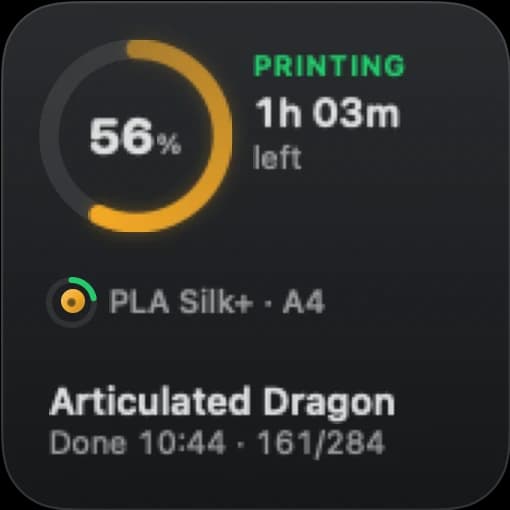
Bambu Bar receives the printer's status over your network and writes a small snapshot on your Mac for its widgets. macOS then redraws the widget on its own schedule. So a widget is only as current as the app's last update, and the app must be running to make new ones.
Between redraws, while a print runs, each widget counts progress and time left forward on its own, so it keeps moving even when macOS hasn't refreshed it for a while. A small jump when the next real update arrives is normal.
Check the app
- The menu bar icon is there. If not, open Bambu Bar from Applications. Closing its window keeps it running; Quit stops it, and the widgets with it.
- Open at Login is on, so it starts after a restart or a macOS update.
- The printer is online in the panel. If it says offline, can't reach your network, or the access code was rejected, fix that first: see Support.
Check the widget
- The right printer. With several printers, right-click the widget and choose Edit "Printer". A widget on its default follows the printer in the menu bar, so it changes when that does.
- Remove and add it again. After an app update, macOS sometimes keeps an old widget. Right-click the desktop, choose Edit Widgets…, remove the widget, then search for Bambu Bar and add it again.
Bambu Bar missing from the widget gallery
macOS lists an app's widgets once the app is installed and has been opened:
- Make sure Bambu Bar.app is in Applications, not in Downloads or a disk image.
- Open it once, then look again under Edit Widgets….
- Restart the Mac if it still doesn't appear.
Things widgets don't show
Widgets don't show the live camera (macOS widgets can't play video), and they don't have pause or stop buttons. See desktop widgets for what each size shows.
Questions, answered
Why does my widget show a print that already finished?
The app hasn't received an update since, usually because Bambu Bar isn't running or the printer went offline. Open the menu bar panel: once the printer reports in, the widget follows.
How often does the widget update?
macOS decides when to redraw widgets. Between redraws, a widget counts progress and time left forward on its own while a print runs.
Do widgets work with Bambu Bar's window closed?
Yes. Closing the window keeps Bambu Bar running in the menu bar. Only quitting the app stops the updates.
Read next
- Desktop widgetsSmall, medium and large Mac widgets with your print's progress, time left, temperatures and filament, one per printer if you like.
- Getting startedFrom download to your printer in the menu bar: requirements, installing, connecting, and the optional camera, controls and widgets.
- Support: Setup, Camera and Connection HelpSet up Bambu Bar and fix printer discovery, camera, controls and widget problems, or get help with your supporter license and purchase account.